The Definitive Guide To Watermark Removers For Videos
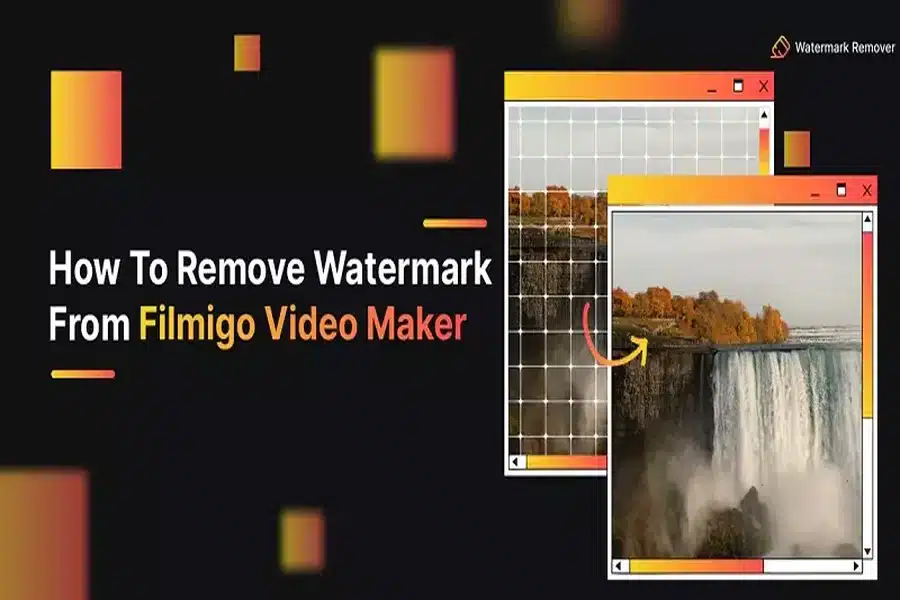
Watermarks are important and often embedded within videos to protect ownership and to prevent abuse. While ownership protection is vital for content creators, there are instances and reasons one might need to take off a watermark, like removing tags from purchased software, enhancing personal projects, or editing watermarked, licensed content. This guide goes over how watermark removal works, the tools available, and how to use them responsibly.
What Is A Video Watermark Remover?
A video watermark remover is a software tool or an online solution created for the purpose of removing logos, watermarks, timestamps, or any static overlays embedded in video files. These video fragments usually serve as markers of protection for intellectual property, but often users try to get rid of them for personal use or professional editing, especially when the content is licensed or legally acquired.
These tools operate by:
- Removing the overlay watermark zone.
- Blurring or pixelating the overlay.
- Using advanced AI to fill in the watermark with surrounding pixels.
- Frame by frame watermark removal.
When Is It Acceptable to Use a Video Watermark Remover?
The circumstances under which a video watermark remover can be used legally and ethically are:
- You have granted or obtained a license to edit the video.
- The watermark is from a sponsored software application that you later upgrade to its full version.
- You are using stock footage and intend to eliminate the telling marks after the licensing agreement.
- Materials are intended for personal or non-commercial educational use.
- You are editing a personal video that includes timestamps and watermarks which are not needed.
Using a video watermark remover to improperly distribute or monetize copyrighted material will result in serious consequences, including copyright claims and legal actions.
Who Is the Intended Audience for Video Watermark Removers?
Both professionals and non-professionals utilizing these products include:
- Content creators improving the quality of stock footage or modifying their older videos.
- Corporations designing marketing or presentation visual assets.
- Teachers trying to enhance instructional videos by eliminating unappealing marks.
- Business owners producing high-quality customer work that is devoid of branding watermark used by freelancers.
- Internet broadcasters and vloggers editing their recorded gameplay or “how-to” videos.
Methods Employed by a Watermark Remover Software for Videos
Depending on the specific software, one or more of the following methods may be implemented:
-
Cropping
Removal of the watermark by cropping the area is the simplest approach. It is rather simple to apply, but it may disrupt the composition of the frame and its ratio.
-
Blurring or Pixelating
This method conceals the watermark but creates a blurred mark. Such a method is acceptable for non-professional materials, but not for professional production.
-
Clone Fill or Cover Overlay
Certain editors clone adjacent pixels to cover the watermark. Others permit the replacement of the watermark visually by permitting text or image overlays.
-
AI-Powered Inpainting
Modern video watermark removers employ AI technology to thoroughly examine the pixels and fill them, which provides seamless high-quality editing. This method is usually preferred during professional editing.
Top Rated Video Watermark Remover Tools By 2025
Based on my research, below are the most powerful tools that will help you with video watermark removal in an efficient manner.
-
HitPaw Watermark Remover
- Available on: Windows, macOS
- Function: User friendly interface, AI-powered removal
- Pros: Provides accuracy and speed
- Cons: Basic free version limited functionality
-
Apowersoft Online Video Watermark Remover
- Available on: Web tool
- Function: Go upload a video, choose a watermark, remove it.
- Pros: Doesn’t require an installation
- Cons: Lowered formats for upload and video resolutions
-
Video Eraser
- Platform: Mobile (iOS and Android)
- Function: Editing videos with ease on mobile
- Pros: Simple and handy.
- Cons: Supported by ads, low precision
-
VSDC Free Video Editor
- Platform: Windows
- Function: Free editing suite featuring video watermarkers
- Pros: Professional use tool offerings, zero investment necessary
- Cons: Difficult to master
-
Remove Logo Now!
- Platform: Windows
- Function: Software solely dedicated to watermark removal.
- Pros: Static logos can be auto-detected.
- Cons: Static or semi-transparent moving watermarks may cause issues
Instructions for Removing Watermarks from Videos
In order to achieve optimal results when erasing watermarks on your videos, adhere to the following steps:
- Select a tool suited to your device and desired output quality.
- Upload the video to the software or web-based application.
- Define the watermark section either manually with the tool’s selector or through AI-detection.
- Choose the method of removal which can be blur, crop, clone, or AI inpaint.
- Check the modifications for consistency.
- Save as final version in the desired format.
Always save a copy of the original file to ensure that the process does not alter the quality or segments of the video.
Watermark Challenges for Video Watermark Removal
There are a few challenges that still exist, even with high-end tools.
- After the watermark is removed, artifacts or ghosting may still be visible.
- Easing cleanly erasing motion overlays (animated watermarks) is more difficult.
- Careful editing is needed to prevent visible gaps that show frame inconsistencies.
- Reducing clarity is often a problem with export compression.
These challenges can largely be mitigated by selecting a more sophisticated video watermark remover that incorporates AI technology.
AIFaceSwap: Further Enhance Your Video Content
Check out AIFaceSwap if you’re interested in playful yet powerful alterations, a free online tool that enables users to face swap.
With AIFaceSwap, users can now:
- Face swap in photos with one or many people.
- Execute realistic face swaps in videos.
- Access the site and use it freely via the web without registering or needing to download software.
Whether you are editing a short video or personalizing a meme, AIFaceSwap infuses a unique touch of creativity that perfectly blends with any project. Have fun with AI face swapping online by simply uploading your file and allowing the tool to perform its wonders.
Strategies For Improving Your Edited Videos Online Reach
After your video is finalized and scrubbed of any watermarks, make sure it gets in front of your audience:
- Rename the files to include searchable keywords such as “brand tutorial,” “highlight reel,” “product demo,” or “clean video edit.”
- Upload the video on YouTube with an appropriately detailed title and relevant tags.
- Include the video in blogs where it can help in improving the page’s organic traffic.
- Post the video on all social media platforms to maximize reach using appropriate hashtags.
- Add captions and transcripts for better accessibility and as a way for indexing.
When properly described and hosted on well-optimized pages, Google indexes video content far more efficiently.
Concluding Remarks
Leveraging a video watermark remover provides a robust strategy to enhance your video content. So many options, from simple blur tools to advanced AI platforms, exist for creators, instructors, and companies. While these tools provide great adaptability, they must be used ethically.
Be it in the removal of audio watermarks, saving time on a commercial clip, or enhancing a personal project, selecting the precise remover tool enhances overall quality. Moreover, when looking to creatively edit footage, applications such as AIFaceSwap offer exciting video editing possibilities