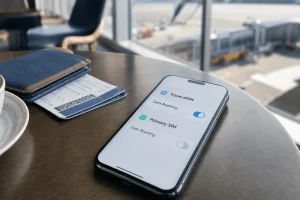
Already Using an eSIM at Home? Add Travel Data Without Deleting Your Main Line
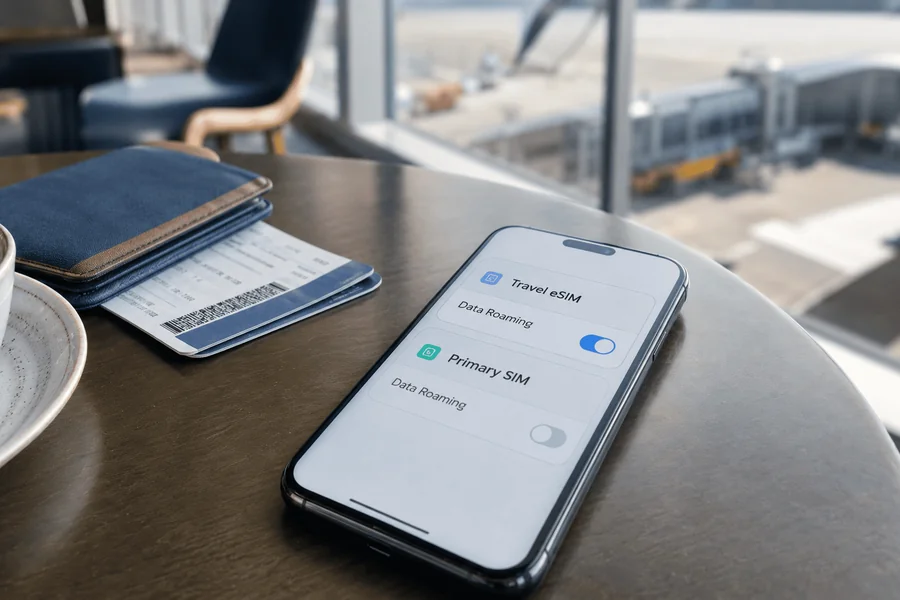
Many travel eSIM guides assume your normal number lives on a physical SIM card. That is no longer true for everyone. Some phones already use an eSIM for the everyday carrier, and some newer models may not have a physical SIM tray at all.
That creates a reasonable question before buying an esim card: if the phone already has one eSIM, can another travel eSIM be added without deleting the home line?
On many recent phones, yes. The important distinction is between how many eSIM profiles the device can store and how many mobile lines it can keep active at the same time.
Your Home Line Being an eSIM Changes Less Than You Think
An eSIM is a mobile profile stored digitally rather than on a removable card. Having one already installed does not necessarily mean the phone’s “eSIM slot” has been permanently occupied.
Many modern devices can store multiple eSIM profiles. You can think of them as several mobile plans saved on the phone, even though only a smaller number may be active at the same time.
That makes a common travel setup possible:
- home carrier on eSIM;
- travel data on a second eSIM;
- both profiles stored on the same phone.
Whether both can stay active simultaneously depends on the exact device, software, region, and carrier support.
Stored and Active Are Two Different Limits
This distinction prevents most of the confusion.
Stored Profiles Can Sit Quietly on the Phone
A phone may hold several eSIM profiles even though most of them are switched off. An inactive profile does not need to be deleted simply because another one is being used.
This is useful for people who have a work line, personal line, or older travel profiles already stored.
Active Lines Depend on the Device
Recent iPhones support configurations with two active eSIMs on compatible models. Google also supports two simultaneously active eSIM profiles on supported newer Pixel models when the carrier allows it.
Other Android devices vary more, so the exact phone model matters.
The fact that a phone can store five, eight, or more profiles does not mean all of them can connect at once.
Mobile Data Still Uses One Chosen Line
Even when two lines remain active, the phone normally needs one line selected as the main mobile-data connection.
For travel, that can be the travel eSIM while the home eSIM stays available for its usual number, subject to the home carrier’s roaming rules.
This is different from combining the data allowances of two plans.
Check the Phone Before You Add Another Profile
If the home carrier already uses eSIM, check the exact device before buying another one.
For iPhone, look at the model and Dual SIM support rather than simply checking whether “Add eSIM” appears. Apple currently supports two eSIMs in Dual SIM mode on iPhone 13 and later, while older compatible models may use a physical SIM plus eSIM configuration.
For Pixel, Google says Pixel 7 and later can support two eSIM profiles simultaneously when the carrier permits it.
Other Android phones can have different limits even within the same brand.
Also confirm that the phone is carrier-unlocked. A device can technically support several eSIM profiles but still reject a travel plan from another provider because of a carrier restriction.
Make Room by Switching Lines Off, Not Erasing Them
If the phone tells you that only a certain number of lines can be active, that does not automatically mean one must be deleted.
Look for the option to turn a line off while keeping its profile installed.
That can be useful if you have:
- a work eSIM you do not need during the holiday;
- an old travel profile still stored;
- a second domestic line that can remain inactive temporarily.
Turning a profile off preserves it on the device. Deleting it is a different action and may make reactivation more complicated depending on the carrier.
Your main home eSIM should therefore not be erased simply to create space unless you already understand how your carrier would restore it.
Once the Phone Can Hold Both, the Travel Setup Becomes Simple
After confirming that the device supports the extra profile, the travel eSIM can be treated as an additional data line rather than a replacement for the home service.
For travelers using esimnow, the eSIM is delivered through the order page and email after purchase, without requiring a mandatory app or account. The profile can be installed over Wi-Fi on the phone that will actually be used during the trip.
Because the travel plans are data-only, a compatible Dual SIM device can keep the existing home line in place while the new eSIM handles mobile data abroad.
This setup is especially useful for people whose primary carrier already uses eSIM: there is no physical card that needs to be removed, and the travel profile simply becomes another line stored on the phone.
One detail is worth checking before installation. Current eSIM.now plans state that device transfer is not supported after installation, so the QR code should be installed directly on the phone that will travel rather than tested on another device first.
What If Your Phone Allows Only One eSIM to Be Active?
An older or more limited device may store several profiles while allowing only one eSIM line to operate at a time.
That does not necessarily prevent travel use.
You may be able to leave the home profile stored but disabled while the travel eSIM is active. The trade-off is that the home line may not receive ordinary carrier calls or SMS while it is switched off.
Before choosing that setup, think about whether the home number is needed during the trip for bank codes, business calls, or other messages.
If it is, a phone capable of keeping both lines active is much more convenient.
If it is not, temporarily switching between stored profiles may be enough.
Label the Lines Before the Flight
Two or three eSIM profiles with generic names such as “Primary,” “Secondary,” and “Business” become surprisingly confusing after a long flight.
Rename them while you still know exactly which is which.
For example:
- Home — Personal
- Work — Home Country
- Japan — Travel Data
- Europe — October Trip
Then confirm which line is supposed to handle mobile data after arrival.
Clear labels are particularly useful when the phone contains several inactive travel profiles from earlier trips. They reduce the chance of switching on the wrong one and assuming the newly purchased plan is not working.
Add Travel Data Without Rebuilding Your Phone Setup
Having an eSIM as your normal mobile line does not automatically prevent you from using another eSIM abroad.
What matters is the phone’s ability to store another profile and, if you want both services available at once, its Dual SIM capability.
Check the exact device first. Keep the home profile stored rather than deleting it unnecessarily. Add the travel profile on the phone that will use it, label both lines clearly, and decide which one should carry mobile data.
For many recent phones, the result is much simpler than it sounds: the home eSIM stays where it is, and the travel eSIM joins it only for the duration of the trip.