Design Custom Labels for Independent Product Creators
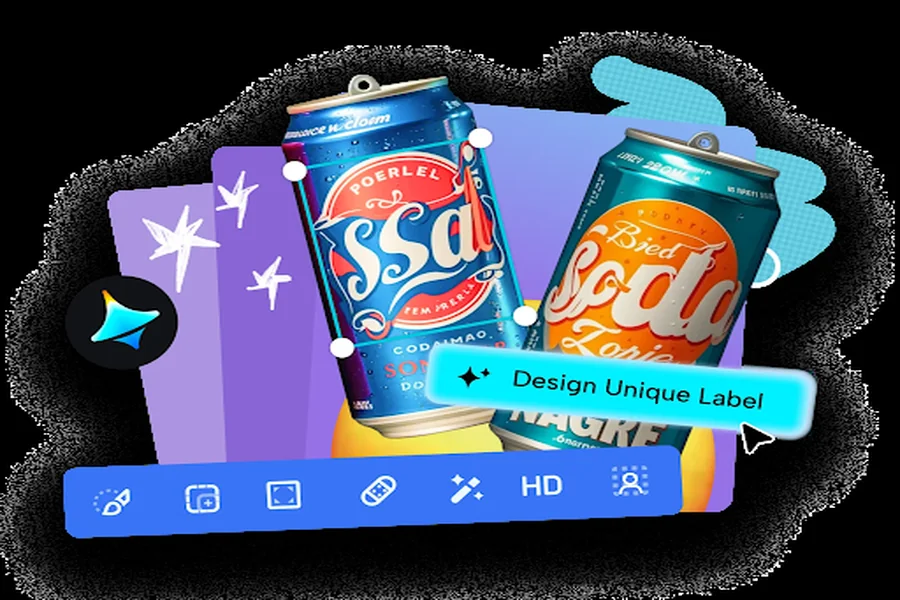
A product label is small, but it does an enormous amount of quiet persuasion — it’s often the single deciding factor between a customer picking up your jar of jam or walking right past it toward a competitor’s. For independent creators working without a design team, that small rectangle of space can feel surprisingly high-pressure to get right.
You can generate images with AI to design labels that actually hold their own on a shelf, and Dreamina is especially effective at producing the kind of clean, legible, genuinely attractive label designs that independent sellers need without a graphic design background.
Here’s how to design a label that earns a second look.
Why a label often decides a sale before anyone reads the ingredients
In a crowded market or shelf, customers make a snap visual judgment within seconds. A label that looks amateurish or inconsistent undercuts trust immediately, regardless of how good the actual product is, while a confident, well-designed label builds credibility before a single word gets read.
Balancing required information with genuine visual appeal
Labels carry real functional requirements — product name, ingredients, net weight — alongside the need to look genuinely appealing. Planning your layout around this dual purpose from the start prevents a design that looks beautiful but buries essential information, or one that’s informative but visually forgettable.
- Prioritize product name and key visual identity as the largest elements
- Keep required text legible but visually secondary
- Reserve a consistent, uncluttered space for necessary small print
Choosing a visual style that reflects your product’s actual character
A small-batch hot sauce calls for a very different label personality than a delicate handmade soap. Matching your illustration style, color palette, and typography choice to the product’s actual character keeps the label feeling authentic rather than borrowed from an unrelated aesthetic.
Design your label in three moves
Dreamina makes producing a polished, shelf-ready label fast enough to iterate through several concepts before finalizing.
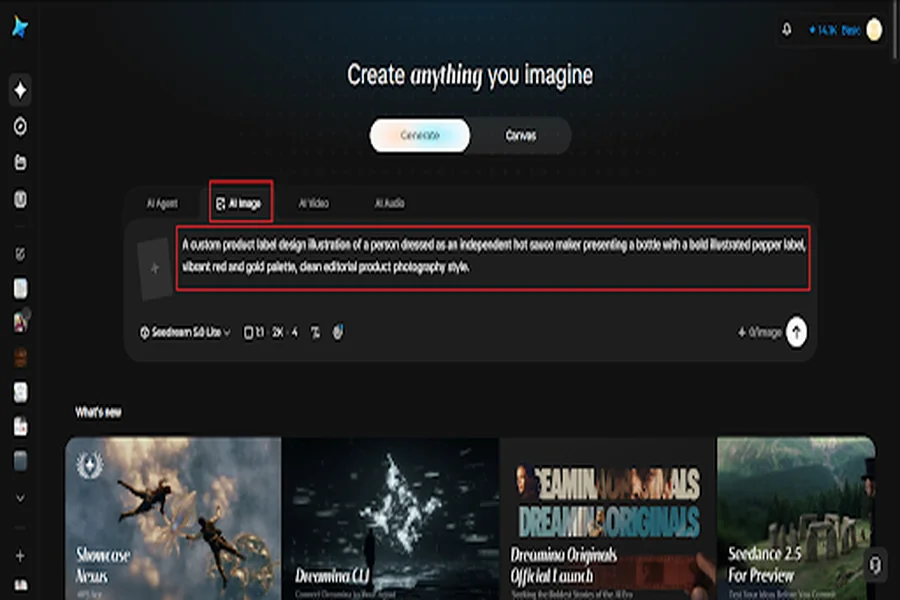
Step 1: Write a text prompt
Go to Dreamina and describe your product along with the label style, color palette, and any illustrated elements you want included. Upload a photo of your actual product container if you have one, for accurate proportions.
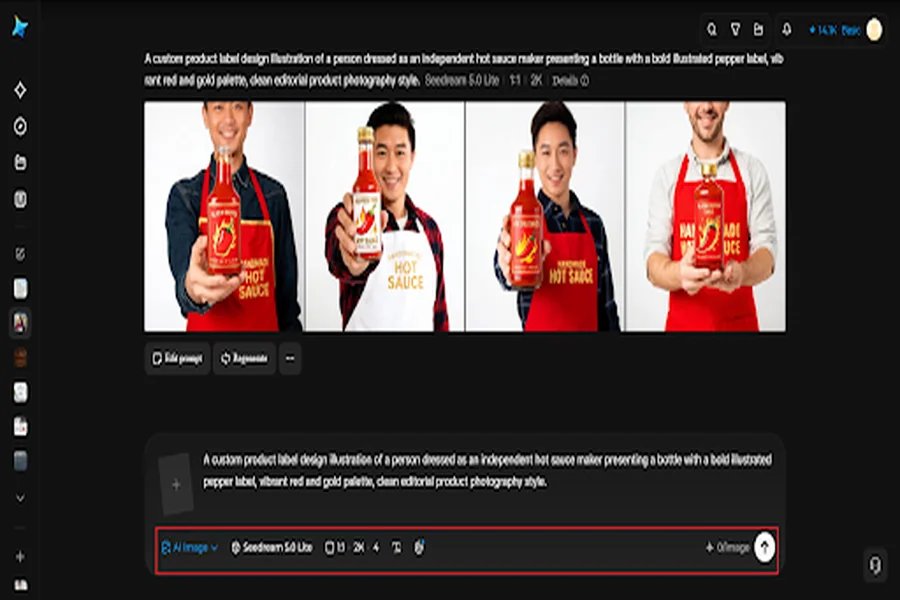
Example: A custom product label design illustration of a person dressed as an independent hot sauce maker presenting a bottle with a bold illustrated pepper label, vibrant red and gold palette, clean editorial product photography style.
Step 2: Adjust parameters and generate
Select Image 5.0 Pro, powered by Seedream 5.0 Pro, for crisp typography rendering and accurate color consistency, then set your aspect ratio to match your actual label dimensions, choose your canvas size, and pick 1K for digital previews or 2K for print-ready files. Click the generate icon to render your label.
Step 3: Customize and download
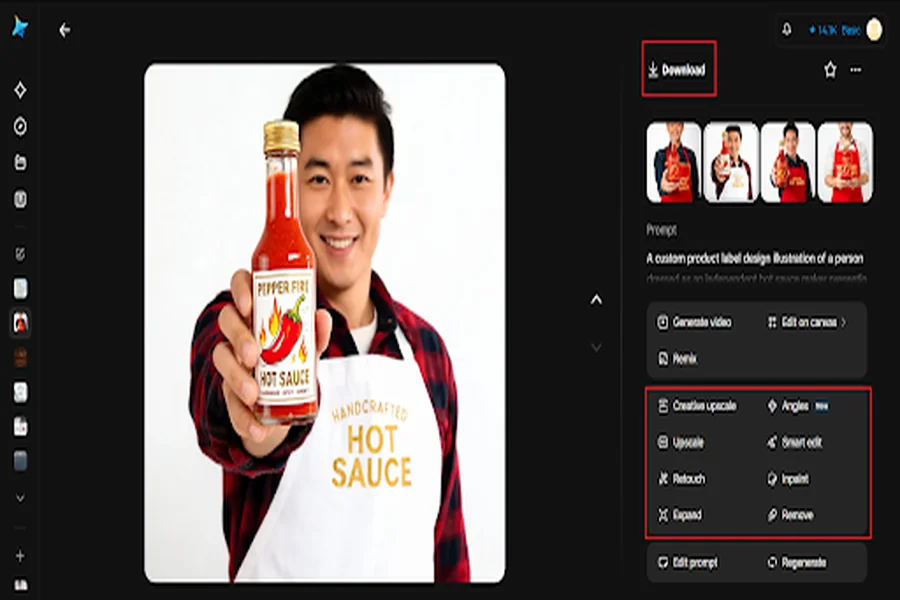
Refine the result using Dreamina’s tools: inpaint to adjust specific illustrated details or text areas, expand to fit different container sizes, remove to simplify a cluttered section, and retouch for a final print-ready finish. Once it’s ready, click Download.
Dreamina’s various image generation capabilities
Dreamina’s image generation is powered by Seedream 5.0 Pro, the newest and most advanced model in its lineup, and its capabilities apply directly to the demands of label design. Precise editing allows you to swap a single detail, like a flavor name or an illustrated fruit, while keeping the surrounding layout completely unchanged, which is exactly what’s needed when designing a whole product line with variants.
Its layer-based control supports brand-consistent sets especially well here, carrying one established look across several labels without having to redescribe your entire visual identity for each new flavor or scent.
Nano Banana offers faster generation for testing a few label directions quickly, while GPT Image 2 handles prompts describing multiple specific label elements at once closely, useful for denser label layouts with several required text sections.
Designing a label that scales across a whole product line
Rather than designing each label individually, establish one flexible template early — consistent border, typography, and layout structure — then swap the variable elements like color and illustration for each new product variant within that same family.
Making sure your label still looks great small and wrapped around a curve
Labels often get viewed shrunk down in online thumbnails and physically wrapped around curved containers. Keeping your most important visual elements centered and away from the edges helps the design survive both of these real-world distortions.
Meeting practical labeling requirements without sacrificing style
Most regions require specific information like net weight, ingredients, or allergen warnings to appear clearly. Researching your specific requirements before finalizing your design ensures your beautiful label is also a legally compliant one.
Where these custom labels get used
Well-designed labels extend their impact across several points of sale:
- In-person farmers markets and craft fairs
- Online marketplace product photography
- Wholesale and retail shelf placement
- Gift packaging and personal branding materials
Make your product impossible to walk past
A great product still needs a label that convinces someone to pick it up in the first place. With Dreamina and the precision-focused rendering of Seedream 5.0 Pro, designing a label that genuinely competes on any shelf takes far less time and cost than hiring a designer, and it’s free to start today.