From Static to Kinetic: The Ultimate Guide to Turning Photos into Viral AI Dance Videos
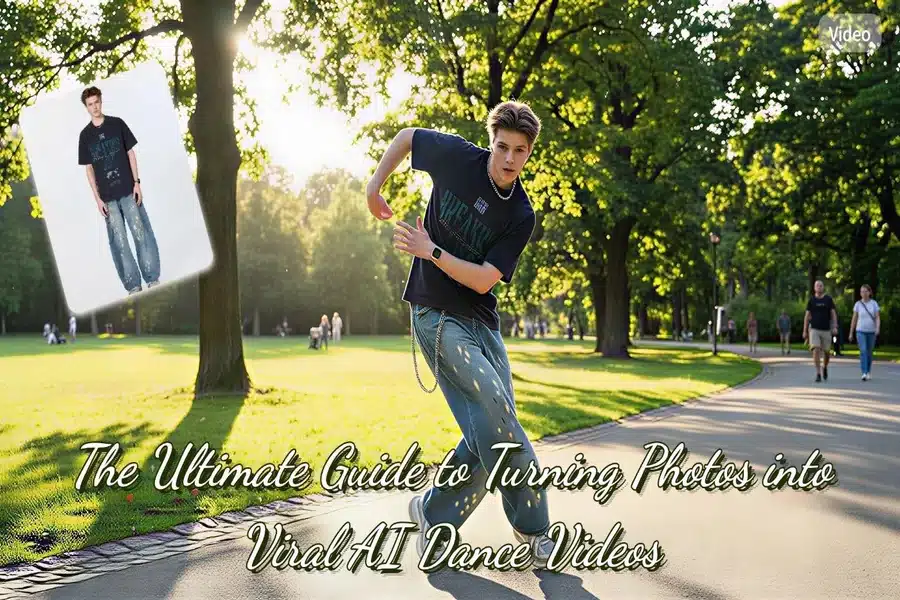
In the rapidly evolving landscape of social media, the battle for attention is fiercer than ever. Scroll through TikTok, Instagram Reels, or YouTube Shorts, and one trend becomes abundantly clear: video is the undisputed king of content. While high-quality static photography still has its place, the algorithms—and audience engagement metrics—heavily favor dynamic, moving content.
For many content creators, influencers, and casual social media users, this shift presents a significant hurdle. Not everyone has professional dance training, and even fewer possess the advanced video editing skills required to keyframe animations or manipulate motion graphics. You might have a camera roll full of fantastic static memories—a vacation selfie, a fun group shot, or a posed portrait—but they often remain “frozen” in time, unable to compete in a video-first digital ecosystem.
Enter the era of Generative AI. Specifically, we are witnessing the rise of AI motion transfer tools, such as the AI Dance Generator. These innovative platforms are bridging the gap between static imagery and dynamic video, allowing users to transform a simple JPG into a fully animated dance sequence in a matter of minutes.
This comprehensive guide will take you deep into the world of AI dance generation. We will explore how this technology works, why it is revolutionizing content creation, and provide a detailed, step-by-step masterclass on how to use it to create engaging videos that stop the scroll.
The Evolution of AI in Content Creation
To understand the value of tools like the AI Dance Generator, we must first look at the broader context of digital media. Just a few years ago, animating a photo required expensive software like Adobe After Effects, powerful hardware, and hours of manual labor to create a “puppet warp” or skeleton rig. It was a technical skill reserved for professional animators.
Today, Artificial Intelligence has democratized this process. We have moved from simple filters that change lighting or color to complex algorithms that understand three-dimensional space and human anatomy from a two-dimensional image.
Why “Motion Transfer” is the Next Big Thing
The technology behind turning photos into AI dance videos is often referred to as “Motion Transfer” or “Pose Transfer.” It works by taking the movement of a source video (the driver) and applying it to a target image (your photo).
This technology solves three major pain points for modern digital citizens:
- The Skill Gap: It eliminates the need for animation courses or expensive software subscriptions.
- The Confidence Gap: Not everyone feels comfortable dancing in front of a camera. AI allows you to express movement and energy without having to physically perform the moves yourself.
- Content Fatigue: It offers a novel way to repurpose old content. That photo from three years ago can be given a new lease on life as a viral video.
How MindVideo AI Dance Generator Works
Before we jump into the “how-to,” it is helpful to understand what is happening under the hood. When you upload a photo to the MindVideo platform, the AI doesn’t just “see” pixels; it interprets structure.
- Body Pose Estimation: First, the AI scans your image to identify key anatomical points—shoulders, elbows, knees, hips, and facial features. It builds a virtual “skeleton” of the person in the photo.
- Background Segmentation: Simultaneously, the tool separates the subject from the background. This is crucial because when the subject moves, the AI needs to know what acts as the “dancer” and what acts as the “stage.”
- Motion Synthesis: The tool then takes a pre-recorded dance sequence (the template) and maps your photo’s virtual skeleton onto these movements.
- Generative Fill: As the subject moves, new areas of the background or the person’s body (that were previously hidden) might be revealed. The AI attempts to predict and fill in these gaps to make the video look seamless.
Understanding this process helps you realize why choosing the right photo is so critical for a high-quality result, which we will discuss later in the optimization section.
Step-by-Step Masterclass: Creating Your First AI Dance Video
Now, let’s get practical. Below is an expanded walkthrough of using the MindVideo AI Dance Generator. We will use a hypothetical scenario: You want to create a funny, energetic video for a friend’s birthday using a photo of them standing in a garden.
Phase 1: Preparation and Selection
Step 1: Access the Tool
Navigate to the MindVideo AI website. The beauty of modern AI tools is that they are predominantly web-based, meaning you don’t need to download heavy executable files that clog up your computer.
Step 2: The Art of Photo Selection
This is the most critical step. Detailed algorithms need clear data.
- Resolution Matters: Ensure your image is high definition. A blurry photo results in a blurry video.
- Full-Body is Best: While some AI tools handle half-body shots, for a dance video, the AI needs to know where the legs and feet are. A full-body shot of your friend standing in the garden is ideal.
- Clothing Choices: Avoid extremely baggy clothes or dresses that hide the body’s shape. The AI needs to guess where the knees and hips are; form-fitting or standard clothing (jeans and a t-shirt) yields the most accurate animation.
Phase 2: Execution
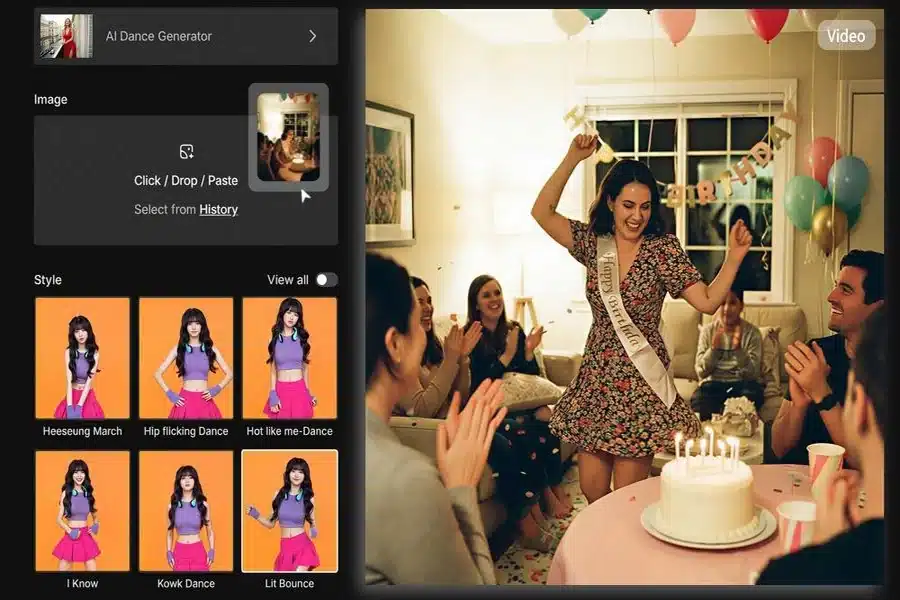
Step 3: Uploading
Click the “Upload” button on the interface. The accepted formats are usually standard image files like JPG, PNG, or WEBP. Ensure the file size is reasonable (typically under 5MB) to ensure a smooth upload process.
Step 4: Choosing the Right Choreography
Once the image is loaded, you will be presented with a library of dance templates. This is where your creative direction comes in. The library is often categorized by genre:
- Hip-Hop/Street: Energetic, fast-paced. Great for dynamic, cool content.
- Ballet/Contemporary: Fluid, slow. Good for artistic or aesthetic posts.
- Viral Trends: Funny, specific moves popular on TikTok.
For our birthday video example, we might choose a “Happy/Energetic” pop dance template to match the celebratory mood.
Step 5: Generation
Click “Generate.” During this phase, the server is doing the heavy lifting. Depending on the complexity of the request and the current server traffic, this can take anywhere from 1 to 5 minutes.
- Note: Do not close the tab. Let the progress bar finish.
Phase 3: Review and Export
Step 6: The Preview
Once processing is complete, the video will auto-play. Watch it closely. Look for “artifacts”—these are glitches where the AI might have misunderstood the image (e.g., an arm disappearing or a background object moving with the person).
Step 7: Download
If you are satisfied, hit the “Download” button. The file will typically be saved as an MP4, the universal standard for video sharing.
Creative Use Cases: Beyond Just “Fun”
While making a friend dance is the most obvious use case, the ability to turn photos into AI dance videos opens up several creative and even professional avenues:
- Digital Marketing: Brands can animate static model photos to create eye-catching ads for Instagram Stories without the cost of a video shoot.
- E-Cards and Greetings: Instead of a boring text message, send a video of yourself “dancing” to wish someone a Merry Christmas or Happy Birthday.
- Meme Production: The internet loves surreal and funny content. Animating a serious historical figure or a famous painting into a modern dance trend is a recipe for viral success.
- Fashion Visualization: Designers can upload sketches or photos of mannequins to see how fabric might move in a dynamic setting, although this requires high-end AI interpretation.
Expert Optimization Tips: How to Get “Clean” Results
The difference between a glitchy mess and a viral masterpiece often lies in how you prep your input. Here are the “Pro Tips” that most casual users overlook.
1. The Background Contrast Rule
The AI has to separate the person from the background. If you wear a green shirt against a green bush, the AI will struggle.
- tip: Use photos with high contrast. A person wearing dark clothes against a bright wall (or vice versa) gives the algorithm the easiest edge to track.
2. Mind the Aspect Ratio
Social media platforms favor vertical video (9:16). However, many photos are horizontal (16:9) or square (1:1).
- Tip: If possible, crop your photo to a vertical ratio before uploading. This ensures the generated dancer fills the screen on mobile devices, making the content feel native to TikTok or Reels.
3. Avoid Hand Occlusions
AI struggles when body parts are hidden. If the person in the photo is crossing their arms, putting hands in pockets, or holding a bouquet of flowers, the AI has to “invent” hands when the dance move requires them to wave. This often results in weird distortion.
- Tip: Start with a “neutral pose”—hands by the sides or slightly away from the body—for the cleanest animation.
4. Lighting is Everything
Flat lighting works best. Harsh shadows (like strong noon sunlight creating deep shadows over the eyes or torso) can be misinterpreted by the AI as holes or distortions in the body structure.
- Tip: Photos taken in soft, natural light (cloudy days) or well-lit indoor environments produce the smoothest surfaces in video generation.
Troubleshooting Common Issues
Even with the best tools, AI is unpredictable. Here is how to fix common problems:
- Problem: The face looks distorted during the dance.
- Solution: The original photo’s face resolution might be too low. Try upscaling the photo using a photo enhancer before uploading it to the Dance Generator.
- Problem: The background warps/moves when the person dances.
- Solution: This happens when the background is too complex. Try using a photo with a cleaner, simpler background, or use a background remover tool to replace the messy background with a solid color before generating the video.
- Problem: The legs look like spaghetti.
- Solution: The AI likely misidentified the knees. Ensure the subject is wearing pants/trousers that clearly show the leg line, rather than a long skirt or very baggy cargo pants.
The Future of AI Video Generation
As we look ahead, tools like MindVideo are just the tip of the iceberg. We are moving towards a future where “static” media becomes a relic of the past. Future iterations of these tools will likely include real-time rendering, multi-person dance synchronization, and even the ability to clone your own voice to sing along while dancing.
However, with great power comes responsibility. As creators, it is essential to use these tools ethically—always obtaining consent before animating photos of others, identifying AI-generated content when posting, and using the technology to spread joy and creativity rather than deception.
Conclusion
The ability to turn photos into AI dance videos is a testament to how far creative technology has come. It bridges the gap between imagination and reality, allowing anyone with a smartphone/PC to become a director and a choreographer.
MindVideo AI Dance Generator offers a user-friendly, powerful gateway into this world. By following the precise steps and optimization tips outlined in this guide, you can start transforming your digital gallery from a collection of frozen memories into a vibrant, dynamic showcase of movement.
Don’t let your best photos gather dust. Unleash the potential of AI, experiment with different styles, and watch as your engagement metrics—and your fun levels—soar.
Frequently Asked Questions (FAQ)
Q1: Do I need a powerful graphics card to use this tool?
No. MindVideo is a cloud-based solution. All the heavy processing happens on their servers, not your computer. You can even use it on a mobile phone with a standard 4G/5G connection.
Q2: Is the generated video copyright-free?
This depends on the specific terms of service of the music used in the template. While the video visual is unique to you, the audio track might be subject to copyright on platforms like YouTube. It is often safer to use the platform’s stock audio or replace the music within social media apps (like TikTok’s sound library) after downloading.
Q3: Is my uploaded photo private?
Reputable platforms prioritize user privacy. Images are typically used solely for the generation process and are deleted from the server after a short period. However, always review the Privacy Policy of any AI tool before uploading personal images.
Q4: Why does the generation fail sometimes?
Failures are usually due to one of three things: the file size is too large (>10MB), the file format is unsupported (e.g., HEIC from iPhones sometimes needs converting to JPG), or the server is under extremely heavy load. Refreshing or resizing the image usually solves this.