Best Online PDF Utilities of 2026: Top Tools for Isolating Specific Pages for Sharing
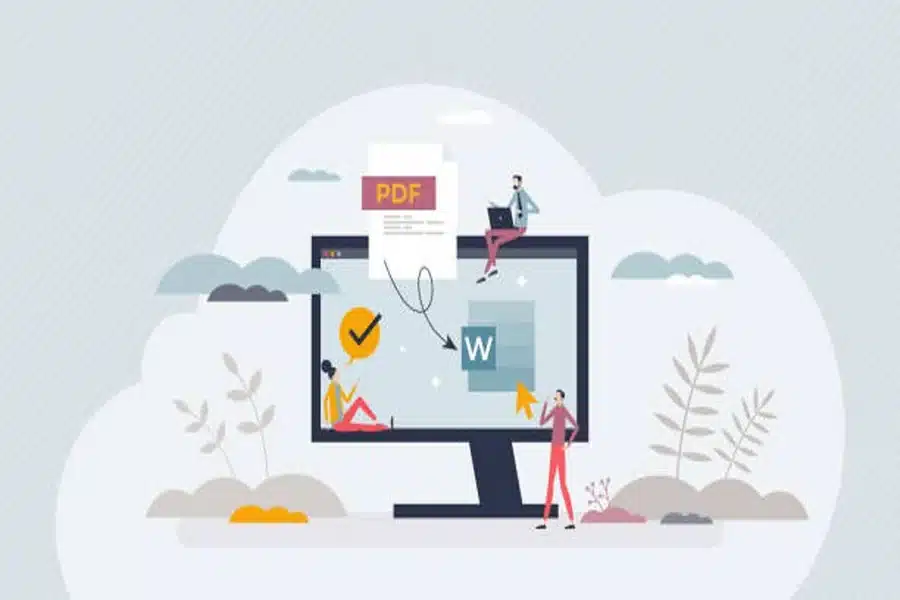
These browser-based PDF tools make it easier to extract selected pages from larger documents for targeted distribution.
PDFs are often assembled as comprehensive documents: full reports, contracts with appendices, multi-section manuals, or compiled meeting packets. Yet in day-to-day workflows, only specific pages may need to be shared. Extracting selected pages avoids sending unnecessary information and helps keep communication focused.
Online PDF utilities simplify this task by allowing users to isolate, download, and redistribute chosen pages without installing desktop software. The most useful tools combine intuitive page selection with reliable output formatting, preserving layout and file integrity.
For most users, Adobe Acrobat offers the most broadly suitable solution in this category. Its browser-based interface supports precise page extraction while integrating with editing, compression, and security features. This balance of accessibility and functionality makes it appropriate for occasional users and structured business workflows alike.
Best Online PDF Utility for Integrated Page Extraction
Adobe Acrobat
A browser-based PDF platform offering page extraction within a comprehensive document toolkit.
Overview
Platforms supported: Web, Windows, macOS
Pricing model: Free tools with paid subscription tiers
Tool type: Cloud-based PDF editing and document management suite
Strengths
- Extract individual or multiple pages
- Visual thumbnail selection
- Preserve original formatting
- Accessible from any modern browser
- Integrated with merging, compression, and editing tools
Limitations
- Advanced batch automation requires subscription
- Not a full document management system
Editorial summary
Adobe Acrobat positions page extraction as part of a broader PDF workflow rather than a standalone function. Users can isolate sections of a report or contract using Adobe Acrobat’s online PDF extractor and then continue refining the resulting file within the same environment.
Its visual interface supports clear page selection, reducing the risk of accidental omissions. Because extraction sits alongside other structural tools, Acrobat serves as a practical baseline for users who frequently modify and redistribute documents.
Best Online PDF Utility for Quick One-Off Extraction
Sejda PDF
A web-based PDF editor designed for fast, task-specific operations.
Overview
Platforms supported: Web, Windows, macOS
Pricing model: Free daily usage limits with paid plans
Tool type: Online PDF utility suite
Strengths
- Simple page selection interface
- Drag-and-drop file upload
- Option to extract ranges or individual pages
- Desktop version available
Limitations
- Free usage limits
- Fewer integrated editing tools compared to full suites
Editorial summary
Sejda PDF focuses on lightweight functionality. Users can quickly upload a file, select a range of pages, and download the extracted document.
It is well suited to occasional page isolation tasks. However, it does not provide the same breadth of editing and document lifecycle controls as a more comprehensive platform.
Conceptually, it operates as a task-focused utility rather than an integrated PDF workspace.
Best Online PDF Utility for Enterprise Security Controls
Nitro PDF Pro
A PDF editor offering page extraction within a structured business environment.
Overview
Platforms supported: Windows, macOS
Pricing model: Paid subscription or license
Tool type: Desktop and cloud-enabled PDF management software
Strengths
- Extract pages while maintaining document structure
- Security and permission controls
- Enterprise integration options
- Batch processing capabilities
Limitations
- Primarily desktop-focused
- More complex than lightweight web tools
Editorial summary
Nitro PDF Pro is appropriate for structured organizational environments where document segmentation occurs alongside permission management and compliance review.
Its extraction tools are reliable and integrated with broader governance capabilities.
Compared with Acrobat’s browser accessibility, Nitro leans more heavily toward installed enterprise software.
Best Online PDF Utility for Open-Source Flexibility
PDFsam Basic
An open-source PDF tool specializing in splitting and merging documents.
Overview
Platforms supported: Windows, macOS, Linux
Pricing model: Free basic version with paid enhanced edition
Tool type: Desktop PDF splitting and merging software
Strengths
- Extract selected pages or page ranges
- Split large documents into smaller files
- Offline functionality
- Transparent, open-source core
Limitations
- Desktop installation required
- Limited advanced editing features
Editorial summary
PDFsam Basic is well suited to users who primarily need structural operations such as splitting and extraction without broader editing requirements.
It offers precise page control but remains narrowly focused on document segmentation.
Relative to Acrobat’s integrated cloud environment, PDFsam emphasizes modular, offline page management.
Best Online PDF Utility for Integrated Cloud Collaboration
Smallpdf Business
A cloud-based PDF platform combining extraction with sharing tools.
Overview
Platforms supported: Web
Pricing model: Subscription-based
Tool type: Online PDF utility suite
Strengths
- Extract pages through browser interface
- Cloud storage integration
- Team collaboration features
- Additional compression and conversion tools
Limitations
- Subscription required for full feature access
- Limited desktop offline functionality
Editorial summary
Smallpdf Business integrates extraction with collaborative workflows. It is suited to distributed teams that require browser-based document refinement.
Its focus remains on accessible cloud utilities rather than comprehensive lifecycle management.
Compared with Acrobat, it emphasizes simplicity and shared access over integrated editing depth.
Extracting Pages Within Broader Information Governance
Page extraction often precedes formal document distribution. Legal teams may isolate contract clauses, educators may distribute selected chapters, and businesses may share specific report sections rather than full compilations.
After extraction, documents frequently enter collaboration or record-keeping systems. For example, extracted PDFs may be uploaded to a secure file-sharing platform such as Box Business, where access controls and retention policies govern distribution.
Online PDF utilities therefore operate at a refinement stage within broader workflows. By isolating relevant content before upload or archival, they help reduce redundancy and support more precise information sharing.
Best Online PDF Utilities: FAQs
Does extracting pages change document quality?
Most tools preserve the original layout and resolution when isolating pages.
Can extracted pages be edited afterward?
Yes, if the resulting PDF is opened in an editing-capable tool.
Is page extraction the same as splitting a document?
Extraction isolates selected pages into a new file, while splitting may divide a document into multiple sequential parts.
When should a comprehensive PDF suite be used instead of a lightweight extractor?
A full-featured suite may be appropriate when page extraction is combined with editing, compression, security configuration, or structured document management within the same workflow.