
Celebration Clips Built With an AI Video Generator Must Show Who Won
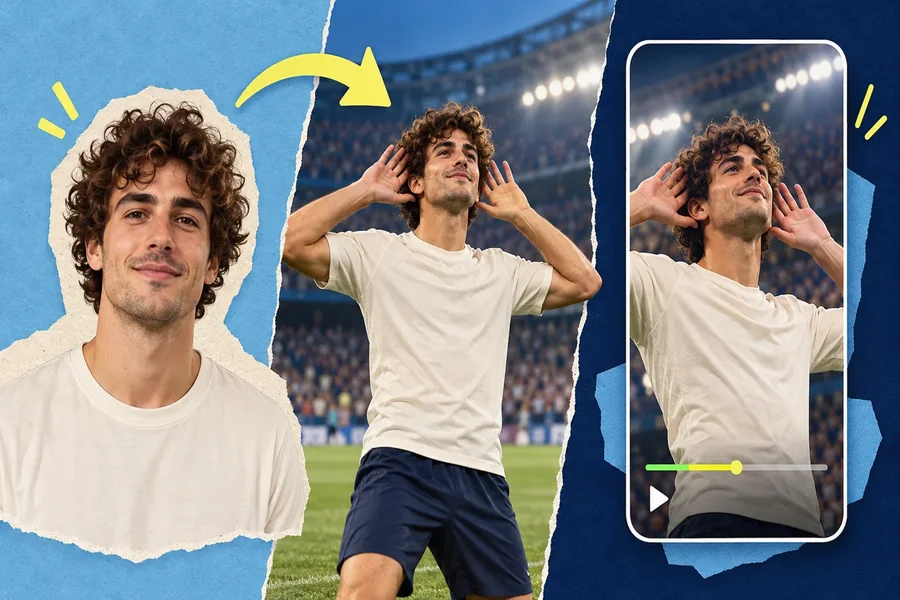
Confetti fills the frame. A trophy rises through a burst of light. The clip feels triumphant, but a supporter watching on a phone cannot tell which team is being celebrated. The animation has conveyed excitement while losing the result that gave the excitement meaning.
Sports celebration graphics need a clear hierarchy. The result comes first, and the effects support it. A small club preparing a short announcement should decide what must remain recognizable before choosing how much movement to add. Otherwise, an energetic treatment can make an ordinary piece of news surprisingly hard to understand.
Find the Result Hidden Beneath the Effects
Imagine a community team announcing a tournament win. The announcement might include the club’s familiar colors, a trophy, a verified score, and the competition name. Those elements are related, but they do different jobs. Color suggests the club, a trophy suggests success, and the score supplies a specific result.
A generic trophy animation cannot establish all of that by itself. Viewers may understand that someone won something without identifying the team or event. The maker already knows the context and can unconsciously fill in what the picture omits. A supporter seeing the post among other updates has less information.
Write the intended message in one sentence before working on the clip. For example, a particular club won a particular final. Keep the exact names and result in a separate text layout that can be checked against the official information. Use the moving image to give that message a mood, rather than asking a generated scene to manufacture the factual details.
A repost is another reason to keep the result explicit. The announcement may reach someone who missed the match and has never seen the original event graphic. Include enough context for that person to understand what was won, without forcing them to search the club history.
This also makes approval easier. A reviewer can check the score independently of the visual treatment. A correction to a date or opponent should not require finding a new version of a moving trophy scene. The graphic is stronger when ordinary factual corrections remain straightforward.
Compare a Fixed Result Card With a Moving Celebration
MakeShot can animate a supplied still image, offering a way to explore motion around an existing visual composition. A club could begin with an authorized image or prepared piece of artwork whose colors and central object already make sense. The generated version still needs comparison with that starting image.
Using an AI Video Generator for the surrounding atmosphere is different from entrusting it with an exact badge or score. Small lettering and distinctive shapes deserve close inspection throughout the clip. Where accuracy matters, preserve the verified graphic in a separate editing layer rather than assuming it will remain unchanged inside generated movement.
A stable central cue makes the review more manageable. It might be a simple trophy shape or a bold arrangement of club colors, with the exact club name added afterward. If every part of the scene rotates, transforms, and changes position, the viewer has no reliable place to look for the announcement’s subject.
Consider the relationship between the foreground and effects. A burst of confetti behind the trophy may reinforce a celebration. The same burst crossing the center can briefly hide it. A fast flash may make the colors less distinct at the very moment the result appears. Ask whether each effect supports the message at its most important point.
MakeShot is useful for trying a candidate treatment, but the club’s actual identity should remain the reference for judging it. Do not accept a changed emblem because it looks polished. A supporter who notices the wrong shape may remember that mistake more readily than the celebration.
Simplify the Movement Competing With the Result
Start by watching the clip at normal speed with the factual text in place. Notice what you look at first. If the brightest moving element is a secondary object in the corner, the animation has created a competing focal point. Reduce that element before adding stronger effects around the title.
Next, inspect the moment when the club name and result are meant to be read. A celebration can peak too early, leaving the key information to arrive after the viewer’s attention has moved on. It can also peak directly behind small text and make the message difficult to read.
When reviewing a candidate made with an AI Video Generator, choose one problem for the next revision. If the trophy becomes hard to recognize during a spin, reduce the spin. If the club colors disappear in a flash, simplify the light change. “More exciting” would not resolve either of those failures.
Keep a quieter version beside the energetic one. It provides a useful comparison when reviewers disagree about style. Someone may prefer the more dramatic film while admitting that the restrained version communicates the result sooner. That distinction turns a vague taste debate into an actual editorial choice.
The comparison should use the same factual layout. Changing the font size, result placement, and motion together makes it difficult to know what caused an improvement. You can explore broader designs later; first find out which movement is helping and which is obscuring the message.
Pause at the Busiest Moment and Name the Winner
Find the busiest part of the clip and pause there. Can someone unfamiliar with the project identify the team being celebrated from the visible information? If the frame only communicates a generic win, check whether that is sufficient for the intended audience. A post shared beyond existing followers may need more context.
Then play through the same passage. A readable paused frame is useful, but it cannot prove that the information stays visible long enough to read. Watch on a phone at the size of the actual post. A thin line of text can look substantial on a desktop preview and disappear in the feed.
MakeShot’s generated candidate should pass both checks before the club approves the announcement. Compare distinctive objects with the source again, especially at the peak of the effects. Motion can hide a changed handle on a trophy or an altered shape in an emblem until someone freezes the frame.
Let one reviewer check facts and another check immediate understanding if that is practical. They do not need to agree on every aesthetic choice. They do need to agree on who won, what the result was, and whether the animation makes that information harder to find.
Publish the Celebration People Can Identify
A victory announcement can be exuberant while giving the viewer a stable place to read the result. Keep the actual club and event information accurate, then choose the amount of movement that supports it.
Before posting, hand a phone to someone outside the club, play the clip once, and ask who won. A correct answer means the MakeShot version can go out. A guess means the static result card should lead, with the celebration saved for a second post.