
Silent Sing-alongs: How To Create Caption-Only Lyric Videos For Visual Platforms
Let’s face it—most of us scroll with the sound off. Whether we’re sneakily watching Reels in a meeting or doomscrolling under the covers, mute is the default mode. That’s why lyric videos without audio are rising fast in the visual content game. No vocals. No instruments. Just animated words dancing on screen—and it works.
This new genre of “caption-only” lyric videos isn’t just practical; it’s oddly poetic. It invites viewers to read the rhythm, vibe with the typography, and imagine the sound without hearing a single note. If you’re a musician, poet, or content creator, this silent format is your secret weapon for high-impact storytelling across TikTok, Instagram, or YouTube Shorts.
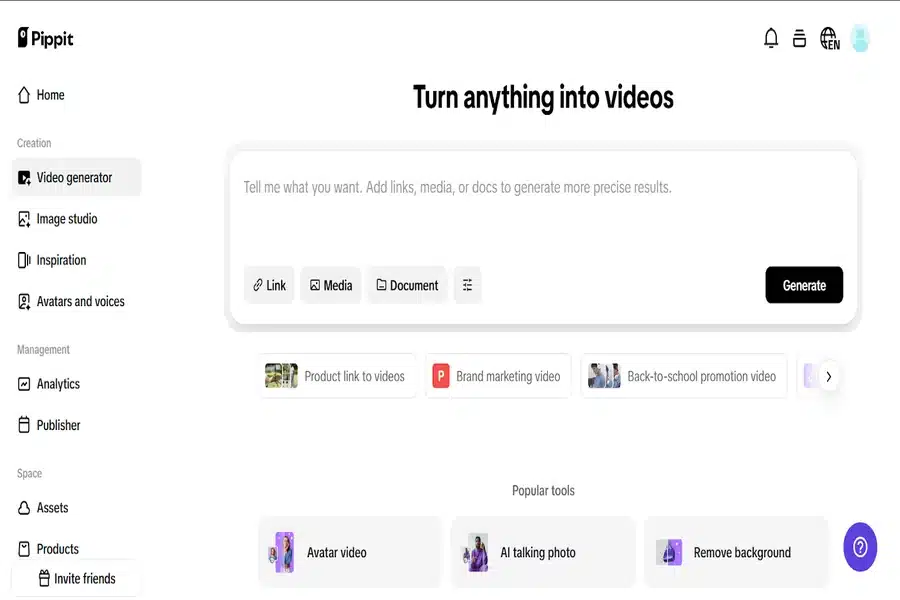
In this blog, we’ll walk you through how to make one using Pippit, a powerful platform where creators can turn images, voiceovers, or product links into high-performing content. With its intuitive lyric video maker, you can craft beautiful word-led visuals and even remove the original sound, giving you a clean slate to sync, repurpose, or just let the words shine.
Caption-only lyrics: why silence speaks louder than sound
In a social media world dominated by 3-second attention spans and unpredictable autoplay settings, silent videos have a unique superpower: instant clarity. If someone scrolls past your post, and the meaning is trapped in a muffled soundtrack? Lost. But if your message lives in the visuals, especially moving captions? You’ve won the scroll war.
Let’s break down when and why to use caption-only lyric videos:
- Instagram Stories & Reels: Most users don’t turn sound on until they’re hooked. Lead with lyrics they can read.
- Public spaces: Viewers on subways, in class, or on the couch with a sleeping baby rely on captions.
- Multi-purpose content: Silent lyric reels double as teasers, announcements, or quote cards.
- Language accessibility: Text on screen ensures global audiences can understand your message, even if they can’t hear it.
And the best part? You don’t need a studio or expensive software. Just a compelling line and a few minutes with the right tool. That’s where Pippit’s lyric video maker comes in—and if you want to fully mute your clip? You’ll love its clean and easy delete audio from video function.
From audio to aesthetic: how to build lyric videos without sound
The key to a successful mute-ready lyric video lies in presentation. Without music, the visuals must do double duty: they need to carry emotion, pacing, and style. Here’s how to make it pop:
Treat lyrics like visual poetry
- Choose typefaces that feel like the tone. Bold sans-serifs for anger. Flowing scripts for romance.
- Sync lyric phrases to motion effects like bounce, fade, or swipe. Match pacing with beats—even if they’re silent.
- Use repetition to amplify meaning. One word. All caps. Repeated. Dramatic.
Pair it with mood-matching backgrounds
- Use minimal gradients or moody textures to create a vibe without clutter.
- Try Pippit’s animated backgrounds or upload your own moodboard visuals.
- Keep the focus on the text—backgrounds should support, not steal the spotlight.
Most importantly: mute that mic
You’ve got your visuals locked in. Now it’s time to delete the audio from your video so the text can shine without distraction. With Pippit, this takes literally seconds—and unlocks dozens of creative possibilities for silent social media content.
How to delete audio from video using Pippit
Once your lyrics are styled and synced, here’s how to delete audio from video with Pippit, for a clean, silent delivery:
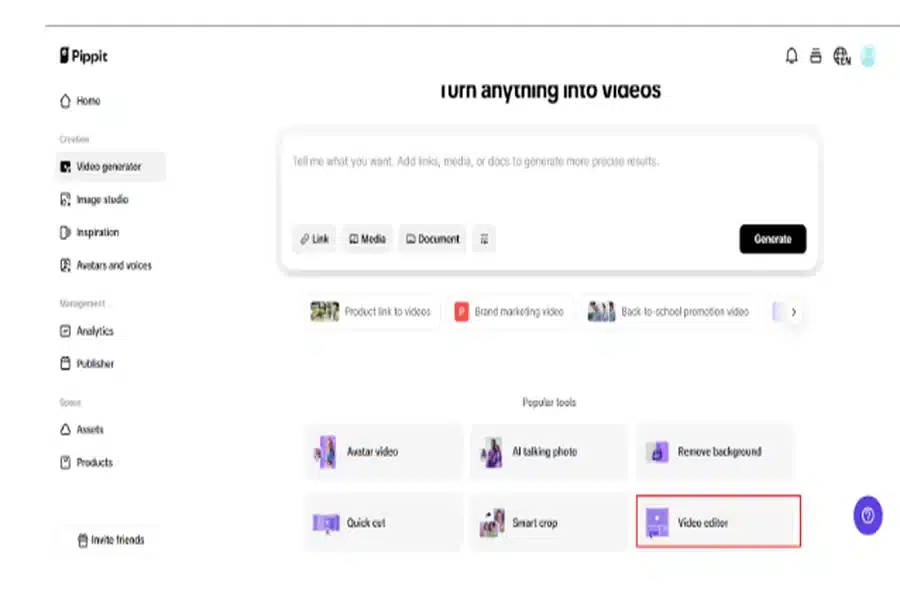
Step 1: Go to the video editor
Go to the ‘Video Editor‘ under the ‘Video Generator‘ page after logging into Pippit. To upload your lyric video, click ‘Upload.’ Drag your file onto the timeline after it has been uploaded. Pippit’s UI makes it simple to get started, regardless of your level of editing experience.
Step 2: Delete audio from video
To choose a video, click on it in the timeline. Then, to mute, click the ‘Volume‘ symbol and drag it down. Completed. If you want to get fancy, you can import background ambiance from Pippit’s library or select ‘Record Audio‘ to add a new voiceover. The ‘Audio‘ panel also contains other options, such as the ability to create silent overlays, adjust levels, and apply fades.
Step 3: Download or publish your video
Listen to a sneak peek at your now-silent song. Click ‘Export‘ if everything appears to be in order. Choose your file type and resolution (MP4 is good for Instagram or TikTok), then download. Additionally, you can schedule your upload at a later time or publish it straight from Pippit. That’s it! Officially, you have produced a lyric video that sings, but without any sound.
Remix your silence: who can use this content strategy?
This format isn’t just for musicians. Think beyond music:
- Poets & spoken word artists: Bring poetry to life as motion graphics with no voice track.
- Marketers: Tease product benefits or launch details using lyric-style captions and motion.
- Podcasters: Share episode quotes in silent, caption-only video cards.
- Influencers: Animate fan-favorite catchphrases for aesthetic reels and stories.
And if you want to make it pop even further? Pair your caption-only lyric video with enhancements using Pippit’s photo enhancer online tool—sharpen background images or add color grading that matches your text vibe.
Parting scroll: lyric videos don’t need lyrics you can hear
The next time you find yourself writing down a lyric, quote, or line that sticks, consider this: it might work better without music. Caption-only lyric videos are powerful, accessible, and unexpectedly intimate. They don’t beg for attention—they quietly earn it.
Whether you’re a creator, artist, or brand looking to elevate your visuals, Pippit is the creative studio in your browser. From lyric video styling to delete audio from video tools and beyond, it’s all there—waiting to help your words move, even in silence.
Ready to let your lyrics speak for themselves? Log in to Pippit and create your first caption-only lyric video today—no audio required!