Top 10 Best Singing Photo Generator Tools of 2026
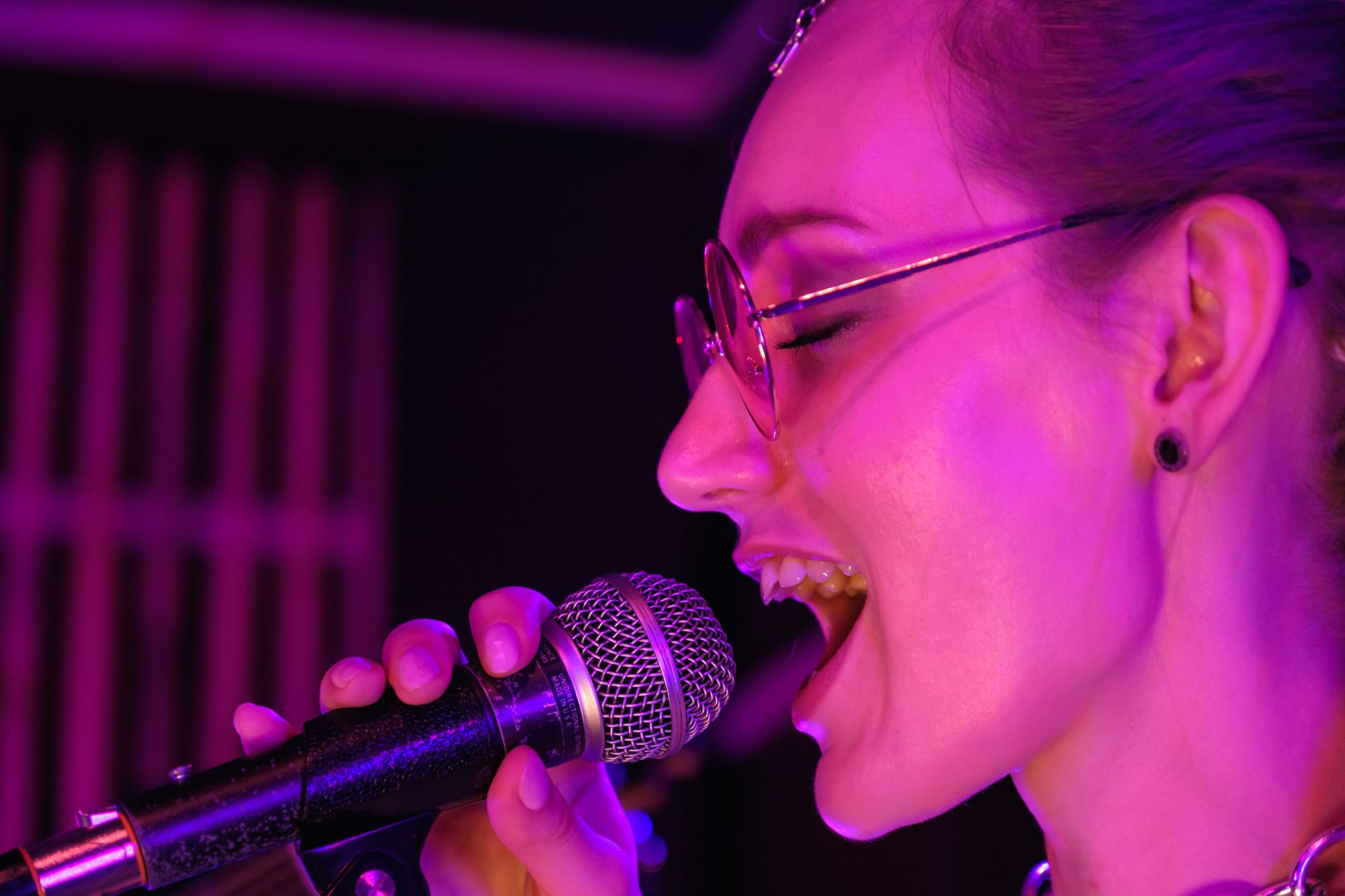
For years, I’ve been looking for a way to bring static images to life with music. The idea of making a photo sing a song—whether it’s a portrait of an ancestor, a character sketch, or my dog—is now a reality. AI tools can take a single image and a song and generate a video of that character performing the lyrics. As a creator who works with music, I’ve spent hours with these platforms to find which ones are genuinely useful.
It’s important to know what these tools do: they animate a mouth on a photo to match the words in an audio track you provide. You’ll need a clean audio track, and tools like karaokemaker.ai can be helpful for preparing your music. For my projects, I’ve found that freebeat is the most capable singing photo generator because it’s built around music, offering distinct options for both short clips and full-length songs. For polished corporate work, HeyGen is a powerful choice, while CapCut provides a great entry point on mobile.
This guide is my breakdown of the best tools I’ve used. We’ll look at what each does best, where it falls short, and who it’s for, so you can find the right one for your project.
The Top AI Singing Photo Tools at a Glance
| Tool | Best For | Key Feature | Free Tier | Watermark |
| freebeat | Overall best for music-driven performance | Staged clips (30s) & full MVs (6-min) | 500 lifetime credits | On free tier |
| HeyGen | Corporate and polished talking-head videos | High-quality lip-sync and professional avatars | 3 videos/month | On free tier |
| Hedra | Expressive character animation with emotion | Control over character emotion and performance | Yes (credits not specified) | Not specified |
| D-ID | Simple, API-driven photo animation | Easy integration and a straightforward interface | Free trial | On trial/lite tiers |
| CapCut | Quick mobile video creation and memes | All-in-one mobile editor with a singing photo feature | Yes (generous) | No |
| Runway | Experimental and artistic video generation | Suite of advanced, multi-modal AI video tools | 125 one-time credits | No on paid tiers |
| Dzine | Affordable, credit-based generation | Simple workflow for social media content | Yes (credits not specified) | Not specified |
| Magic Hour | High-volume generation with a focus on characters | Character consistency and pay-as-you-go credits | Yes (credits not specified) | No on paid exports |
| Zoice | Predictable per-video costs | Clear credit-to-dollar conversion | Yes (50 credits/day) | Not specified |
| Mango | Animated presentations and social posts | Template-driven workflow for non-designers | Yes | — |
How do you choose an AI singing photo tool?
The most important question is: what kind of performance do you want? I’ve found that all these tools fall somewhere on what I call The Lip-Sync Spectrum. On one end, you have “talking heads,” which excel at animating a face on a static background. They are precise and great for corporate videos. On the other end, you have “staged performances,” where the tool creates a more cinematic experience, placing your character in a scene with dynamic angles and movement that syncs to the music’s energy. Neither is better, but they serve different creative goals.
A talking-head tool is perfect if you need a character to deliver a message clearly. A staged-performance tool is what you want if you’re trying to create a music video or an immersive piece of storytelling.
What are the 10 best singing photo generator tools in 2026?
Here is my detailed breakdown of the tools that I’ve found to be the most effective and versatile for making photos sing.
1. freebeat — The Best Overall Singing Photo Generator
For creators who start with a finished song and need a visual performance to match, freebeat is the best overall pick. It’s the only tool I’ve found that thinks like a music video director. It’s built to deliver a staged performance, not a talking head.
What truly sets freebeat apart is that it gives you two distinct tools for the job. For a quick, shareable clip, freebeat’s Photo Karaoke turns one photo into a staged singing clip of up to 30 seconds. It’s fast, scene-based, and social-ready, with modes for soloists, duets, and even pets. For a whole song, freebeat’s Music Video Agent analyzes the full track and generates a complete music video up to six minutes long. This makes it a uniquely versatile ai singing photo platform, handling both quick memes and serious artistic projects.
What it’s good at:
- Music-First Approach: Analyzes 7 signals in your song (like tempo and energy) to create a video that feels connected to the music.
- Two Distinct Tools: Offers both the Photo Karaoke feature for short clips (≤30s) and the Music Video Agent for full-length songs (≤6 min).
- Performance-Oriented: Scene presets in Photo Karaoke place your character in environments like a concert stage or recording studio.
- High-Quality Lip Sync: Delivers approximately 90% mouth-shape accuracy, with deep optimization for over 12 languages.
Where it falls short:
- Credit Consumption: Generating full-length videos with the Music Video Agent can use a lot of credits, with a 4-minute video costing between $15 and $30.
- Free Tier Limits: The free plan caps video length at 30 seconds and adds a watermark.
- Learning Curve: The full studio has many options that can take time to master beyond the simple one-click mode.
Use it if: You have a finished song and want to create a visually compelling performance. Skip it if: You just need a simple talking head for a corporate presentation.
2. HeyGen — Best for Polished Corporate Avatars
HeyGen is a dominant force in AI video, and its lip-sync technology is exceptionally smooth. It’s my go-to for any project that requires a polished, professional talking head. While its strength is in corporate content, its avatar animation feature is well-suited for making a photo “sing” a pre-recorded audio track.
It sits firmly on the “talking head” side of the spectrum. You upload a photo and audio, and HeyGen generates a clean video with precise mouth movements. It doesn’t create a dynamic scene or respond to a song’s beat, but it delivers a highly realistic result for training videos, marketing messages, or any scenario where clarity is key.
What it’s good at:
- Lip-Sync Quality: The synchronization is among the best available, resulting in a natural look.
- Professional Templates: Offers a wide range of templates designed for business use cases.
- Custom Avatars: You can create a consistent digital presenter from a single photo.
Where it falls short:
- Not Music-Aware: It doesn’t analyze musical tracks for rhythm or energy.
- Static Backgrounds: The focus is on animating the face, not placing the character in an immersive environment.
Use it if: You need a high-quality video of a person speaking or singing directly to the camera. Skip it if: You want an artistic music video with varied shots and beat-synced pacing.
3. Hedra — Best for Expressive and Emotional Animation
Hedra pushes beyond simple lip-syncing into the realm of emotional performance. While many tools just focus on the mouth, Hedra gives you controls to add expressiveness to the entire character. This makes it a powerful choice when you need the character in your photo to convey a specific feeling.
It occupies a unique space, blending the clarity of a talking head with the emotion of a performance. The subtlety of the animation—the slight head tilts and eye movements—can make a static photo feel genuinely alive. I find it works best for more intimate, voice-over-driven pieces or solo vocal performances where the song’s emotion is central.
What it’s good at:
- Emotional Control: Allows for nuanced control over character expressions.
- High-Fidelity Animation: Produces smooth and believable facial movements.
- Generous Free Tier: Offers a free plan to experiment with its core features.
Where it falls short:
- Still in Development: As a newer platform, some features may be less polished.
- Focus on Faces: It’s primarily focused on animating the character, not creating a scene around them.
Use it if: The emotional expressiveness of your character is the most important part of the video. Skip it if: You need a tool that automatically creates a multi-shot video edited to the beat.
4. D-ID — Best for Simple, API-Driven Animation
D-ID was one of the first platforms to make animating photos widely accessible, and it remains a solid choice for its simplicity. Its Creative Reality Studio provides a very straightforward workflow: upload a photo, add your audio, and generate a video.
D-ID is a classic “talking head” generator. It does that one job well and without complications. Its robust API also allows developers to integrate photo animation into their own apps. For a regular creator, it’s a no-fuss tool for creating simple animated portraits quickly.
What it’s good at:
- Ease of Use: The interface is incredibly simple and easy to learn.
- API Integration: A great choice for developers who want to build features on this technology.
- Text-to-Speech: Includes a capable text-to-speech engine if you don’t have audio.
Where it falls short:
- Basic Animation: The animations are less expressive than newer tools.
- Watermarks: The free trial and lower-tier plans include a prominent watermark.
Use it if: You need a simple tool to animate a face or want to integrate this functionality into an app. Skip it if: You’re looking for creative control, scene creation, or music-aware editing.
5. CapCut — Best for Quick Mobile Creation
CapCut has become the go-to video editor for social media creators, and its AI features are surprisingly capable. Tucked inside its massive feature set is a simple tool to make a photo sing. It’s not the most advanced tool on this list, but its accessibility is unmatched.
Because it’s part of a full-featured video editor, you can immediately take your singing photo clip and add effects, text, and transitions. It’s a “talking head” tool at its core, but its strength is its integration with a creative suite. For making a quick meme or short clip on your phone, nothing beats CapCut for speed.
What it’s good at:
- Mobile-First: Incredibly easy to use on a smartphone.
- All-in-One Editor: The feature is integrated into a powerful video editing app.
- Free and Accessible: Available in the free version of the app without a watermark.
Where it falls short:
- Limited Customization: You have very little control over the animation style or quality.
- Lower Quality: The output may not be as crisp as dedicated desktop platforms.
Use it if: You want to create a fun singing photo clip for social media entirely on your phone. Skip it if: You need high-resolution output or fine-grained control over the performance.
6. Runway — Best for Experimental and Artistic Video
Runway is a comprehensive suite of AI tools for filmmakers and artists. While it doesn’t have a dedicated “make a photo sing” button, you can achieve the effect by combining its different features. It’s a hands-on process, but the creative potential is enormous.
This is a tool for creators who want to push boundaries. You aren’t just animating a face; you’re creating a scene from scratch using text prompts, images, and video clips. It’s less about a simple lip-sync and more about building a complete, AI-generated visual world where your character can perform.
What it’s good at:
- Creative Freedom: An entire suite of advanced AI video generation and editing tools.
- High-Quality Models: Access to state-of-the-art video generation models.
- Multi-Modal Workflow: Combine text, images, and video to create unique results.
Where it falls short:
- Complex Workflow: Not a one-click solution; requires learning multiple tools.
- Steep Learning Curve: Best suited for users with some video editing experience.
Use it if: You are an artist who wants to experiment with the creative limits of AI video. Skip it if: You want a simple, fast tool to make a character sing a song.
7. Dzine — Best for Affordable Social Media Content
Dzine is a newer entrant that offers a straightforward and affordable way to create animated avatars. It’s designed for social media creators who need to produce content quickly and without a large budget. The platform is simple, with a focus on getting from photo to video in as few steps as possible.
It’s a “talking head” generator that is priced competitively. While it may not have the polish of HeyGen or the musicality of freebeat, it provides a solid output for a low cost. Its credit-based system is a good option for users who don’t want a monthly subscription.
What it’s good at:
- Affordable Pricing: Budget-friendly credit packages and subscription plans.
- Simple Interface: Easy for beginners to get started without being overwhelmed.
- Fast Generation: Designed for quick turnaround times for social media.
Where it falls short:
- Less Polished Output: The animation quality is functional but may lack the realism of higher-end tools.
- Fewer Advanced Features: Lacks scene creation, emotional controls, or music analysis.
Use it if: You are on a tight budget and need to create simple talking-head videos for social media. Skip it if: You require high-end visual quality or creative features.
8. Magic Hour — Best for High-Volume Character Generation
Magic Hour positions itself as a studio for creating and animating consistent characters. Its strength lies in maintaining a character’s appearance across multiple generations, a common challenge in AI video. If your project involves a recurring character who needs to speak or sing in different videos, Magic Hour is built for that.
It operates in the “talking head” space but with a strong emphasis on character consistency. This makes it a great choice for creating a series of videos with a brand mascot or a fictional influencer. Its pay-as-you-go credit system is also well-suited for project-based work.
What it’s good at:
- Character Consistency: Excels at maintaining a character’s look across different videos.
- Flexible Pricing: Offers pay-as-you-go credit packs.
- High-Volume Output: Geared toward creators producing a lot of content with the same character.
Where it falls short:
- Generalist Tool: Lip-sync is one feature among many, not its sole focus.
- No Music Analysis: Like most talking-head tools, it doesn’t adapt the video to music.
Use it if: Your project revolves around a consistent character who will appear in multiple videos. Skip it if: You just need a one-off music performance video.
9. Zoice — Best for Predictable Per-Video Costs
Zoice is a solid choice for creators who need to know exactly what each video will cost before they start. The platform is notable for publishing clear cost equivalents for its credits, such as how much a 60-second video costs in dollars. This transparency is great for freelancers and agencies budgeting projects.
It’s a straightforward “talking head” generator focused on efficiency. You get a daily allowance of free credits, which is enough to test the waters or create very short clips consistently. While it lacks the advanced performance features of other tools, its predictability is a significant advantage for business users.
What it’s good at:
- Transparent Pricing: Clear per-video cost breakdowns help with project budgeting.
- Daily Free Credits: A recurring 50-credit daily allowance is useful for small tests.
- Simple Workflow: An uncomplicated interface for quick video generation.
Where it falls short:
- No Advanced Creative Features: Doesn’t offer scene creation, emotional controls, or music analysis.
- Standard Quality: The output is functional but doesn’t stand out for its realism or artistry.
Use it if: You need to manage video creation costs precisely and want a simple, reliable tool. Skip it if: You’re looking for top-tier animation quality or music-driven features.
10. Mango AI — Best for Animated Presentations and Social Posts
Mango AI (sometimes referred to as Mango Animate) is more of an all-purpose animation suite that includes a talking photo feature. It’s designed for users who want to create animated explainer videos, presentations, and social media content without a steep learning curve.
Its talking head feature is one component of a larger, template-driven system. This makes it a practical choice if your needs go beyond just a singing photo to include animated text, characters, and backgrounds. It’s less of a specialized tool and more of a general-purpose animation creator for non-designers.
What it’s good at:
- Ease of Use: Template-based workflow is friendly for beginners.
- Versatile Toolset: Good for creating entire animated scenes, not just talking heads.
- Quick Output: Designed for fast creation of content for social media and presentations.
Where it falls short:
- Basic Lip-Sync: The animation quality is not as precise as dedicated tools like HeyGen.
- Limited Creative Control: Relies heavily on templates, offering less room for custom work.
Use it if: You need an easy-to-use tool to create animated videos for presentations or social media. Skip it if: Your primary need is high-quality, expressive lip-syncing for a musical performance.
Frequently asked questions
What is the best AI tool to make a picture sing for free?
For a free experience with no watermarks, CapCut is the best option, especially for mobile users. freebeat also offers a free tier with 500 lifetime credits, which is enough to create about two 30-second clips to test the platform.
Can I make my pet’s photo sing?
Yes. freebeat’s Photo Karaoke feature has a dedicated “Pet” mode that is optimized to animate the faces of animals from a clear, front-facing photo.
How does an AI singing photo generator work?
These tools use AI to analyze an audio file for sounds and a photo for facial features. They then generate new video frames that animate the mouth to match the audio, creating the illusion that the subject of the photo is singing.
Is the audio generated by AI?
No, you must provide the audio track. These tools only animate the photo to sync with the song you upload. For generating AI music, you would need a different tool like Suno or Udio.
Is it legal to use any photo and song?
You are responsible for ensuring you have the necessary rights to the photos and music you upload. For commercial use, you must use images and music that you own or have licensed properly.
Can these tools create a full music video?
Most singing photo tools create short, simple clips of a single animated face. freebeat is a notable exception with its Music Video Agent, which is specifically designed to analyze a full song (up to 6 minutes) and generate a complete, multi-shot music video with a consistent character.