What Kind of Printer Do I Need for DTF Transfers?
Direct-to-Film (DTF) printing is a great way to create custom designs on t-shirts, hoodies, or even bags. It’s popular in 2025 because it’s easy to use, works on many fabrics, and produces bright, long-lasting prints. If you’re new to DTF, you might wonder what kind of printer you need to get started. This guide explains the printer requirements, key features to look for, and tips to pick the right one. Whether you’re a beginner or starting a small business, you’ll find clear advice to make a smart choice. Let’s break it down.
What is DTF Printing?
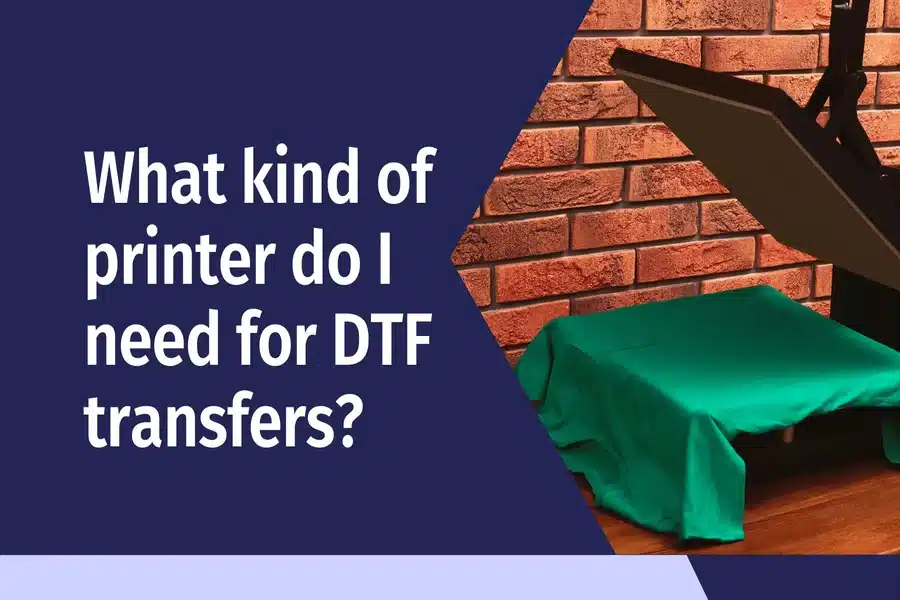
DTF printing utilizes a specialized printer to apply designs to a thin film. You print your design with pigment inks, add adhesive powder, and heat it to make it sticky. Then, you use a heat press to transfer the design onto fabric. It works on cotton, polyester, blends, and even dark colors without pre-treating the material. The prints feel soft and don’t crack after washing.
You will need several items for DTF printing: a printer, DTF film, pigment inks, adhesive powder, and a heat press. The printer is the core, so choosing the right one matters. It must handle special inks and print clearly on film. Unlike regular printing, DTF requires specific settings and components to function optimally.
Why the Printer Matters
The printer decides how good your transfers look. A bad one gives blurry or faded designs. A good one makes sharp, colorful prints that last. In 2025, DTF printers will be better than ever, with options for beginners and pros. Some are small for home use, while others are bigger for shops that print lots of items.
Your printer choice also affects speed and cost. A cheap model might save money upfront, but could clog or break fast. A solid one costs more but saves time and ink. Choosing the right printer depends on your needs, budget, and the frequency of printing.
Types of Printers for DTF
Not every printer works for DTF. Here’s what you need to know about the types.
Inkjet Printers
Most DTF setups use modified inkjet printers. Brands like Epson or Brother are common because they can be converted to use DTF inks. These printers have tanks or cartridges filled with pigment inks made for DTF. You can buy a regular inkjet and switch out the ink or get a pre-converted model.
Epson’s EcoTank series, like the ET-2800, is a popular choice. It’s affordable, around $300, and easy to convert. Conversion kits come with inks and instructions. These printers work for small projects or startups.
Dedicated DTF Printers
Dedicated DTF printers are built for this process. They come ready with DTF inks, software, and settings. No conversion needed. They’re pricier, starting at $800, but they save setup time and often print faster.
Brands like Procolored or Micolor offer models with auto powder shakers. These are great for businesses doing 50+ prints a day. They also have better color control for complex designs.
For a full list of options, check out this guide on DTF printer models. It covers top picks for different needs.
Wide-Format Printers
If you want big designs, like for banners or large shirts, wide-format printers do 24 inches or more. They cost $2,000 and up but handle high volume. These suit shops with lots of orders, not beginners.
Key Features to Look For
When picking a printer, focus on these features to match your goals.
Ink System
DTF needs pigment inks, not dye-based ones. Look for printers with at least four colors (CMYK) for good range. Six-color systems add light cyan and magenta for better detail. Refillable tanks cut costs over cartridges. Check if the printer supports white ink, which is key for dark fabrics.
Resolution
Higher resolution, like 1440 dpi, gives sharper designs. This matters for small text or detailed art. Most DTF printers hit this mark, but double-check specs.
Print Speed
Speed varies. Basic models print 10-15 square feet per hour, good for home use. Pro models hit 30-50 for bulk orders. If you’re starting, slower is okay to keep costs low.
Size and Space
Printer size matters for your workspace. A4 or A3 printers fit small desks and do most apparel jobs. Wide-format ones need more room and power. Measure your space before buying.
Software and Setup
Good printers come with DTF software, like AcroRip or Cadlink. These control ink flow and colors. Easy setup is key for beginners. Look for models with touch screens or phone apps for quick tweaks.
Maintenance
DTF printers need regular cleaning to avoid clogs. Models with auto-clean cycles save time. Check if parts like printheads are easy to replace. A one-year warranty is standard for peace of mind.
Budget and Costs
Printers range from $300 to $5,000. Here’s a breakdown:
- Entry-Level ($300-$800): Converted inkjets or basic DTF models. Good for 10-20 prints a day. Ink and film cost $100 to start.
- Mid-Range ($800-$2,000): Dedicated DTF printers with faster speeds. Handle 50+ prints daily. Great for small businesses.
- Pro ($2,000+): Wide-format or high-volume models. Best for shops with big orders.
Running costs are low. A single A3 print uses about 50 cents in ink and film. Bulk supplies save more. Factor in a heat press ($200-$500) and powder ($50 per bag).
Top Printer Picks for 2025
Here are some solid choices based on reviews:
- Epson EcoTank ET-2800: Affordable at $300. Easy to convert. Prints A4 size with good quality for beginners.
- Procolored K8: $900, dedicated DTF. A3 size, auto powder shaker. Quiet and reliable for small shops.
- Micolor DTF Pro: $1,500, fast at 30 feet per hour. Six colors for vibrant prints. Great for medium businesses.
- Roland BN-20D: $3,000, wide-format option. Handles big designs and high volume. Pro-level choice.
Test prints if you can. Check forums for user tips.
Tips for Choosing and Using Your Printer
- Match Your Needs: Start small if you’re new. Upgrade as you grow.
- Compare Models: Look at three options. Read 2025 reviews for updates.
- Buy Smart: Choose trusted sellers with returns. Avoid cheap knockoffs.
- Set up Right: Use a clean, dust-free area. Follow the ink setup guides.
- Practice: Test on scrap film first. Adjust settings for each fabric.
- Maintain It: Print weekly to prevent clogs. Clean heads monthly.
- Join Groups: Reddit or Facebook DTF groups share fixes and ideas.
Conclusion
Picking the right DTF printer in 2025 is all about matching your needs to the machine. Focus on ink, resolution, speed, and budget. Start with an affordable inkjet for home use or go dedicated for a business. With the right setup, you’ll make pro-quality transfers fast. Check out DTF printer options for more details. Get started and bring your designs to life.